
Introduction
Artificial Intelligence (AI) is no longer a concept reserved for tech experts or big corporations. Today, AI is accessible to everyone, including beginners. With the right AI tools for beginners, anyone can automate tasks, enhance productivity, and even create content or designs efficiently. Whether you are a student, freelancer, small business owner, or someone curious about technology, learning to use AI tools can give you a significant edge.
Many beginners hesitate to try AI tools because they seem complex or intimidating. However, the truth is that modern AI platforms are designed to be user-friendly. They often provide intuitive interfaces, helpful templates, and step-by-step guidance, allowing anyone to get started quickly. By exploring AI tools today, beginners can save hours of manual work, improve decision-making, and even enhance creativity in ways that were previously unimaginable.
What is AI?
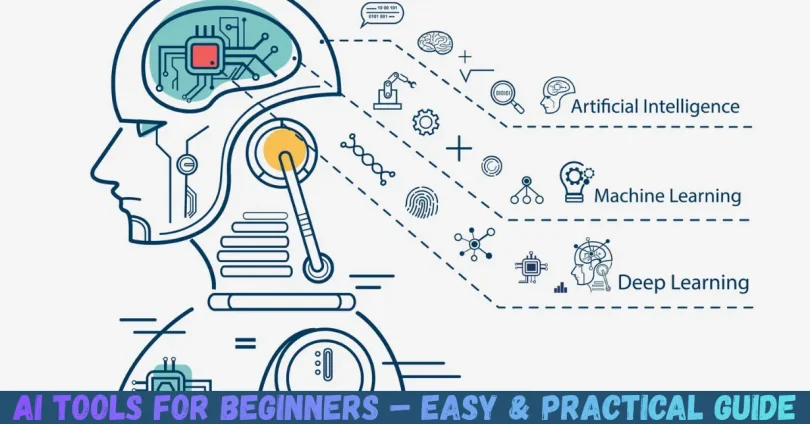
AI, or Artificial Intelligence, refers to computer systems designed to perform tasks that usually require human intelligence. These tasks include learning, problem-solving, understanding language, recognizing images, and making decisions.
For beginners, AI might sound complicated, but the idea is simple: AI tools are applications that help you complete tasks faster and smarter. For example:
- A writing assistant that suggests better sentences or checks grammar.
- A design tool that creates visuals automatically.
- A chatbot that answers customer queries instantly.
In essence, AI tools are software programs powered by algorithms that analyze data and provide solutions. Beginners can use these tools without needing advanced coding skills. They are designed to simplify processes, making everyday tasks easier and more efficient.
Some common types of AI tools include:
- Content creation tools – Generate written text, summaries, or captions.
- Image and design tools – Create visuals, logos, or presentations automatically.
- Productivity tools – Automate repetitive tasks like emails, scheduling, or data entry.
- Learning tools – Help students or professionals understand complex subjects.
Understanding AI at a basic level helps beginners recognize the potential of these tools and how they can integrate them into work, study, or personal projects.
Why is AI Important?
AI has become increasingly important for both personal and professional growth. Here’s why beginners should care:
- Saves Time: AI tools automate repetitive tasks, allowing you to focus on creative or strategic work.
- Increases Productivity: By streamlining processes, you can achieve more in less time.
- Enhances Creativity: AI tools can generate ideas, designs, and content that inspire innovation.
- Data-Driven Decisions: AI analyzes large amounts of data quickly, helping you make informed choices.
- Accessible for Everyone: Modern AI tools are beginner-friendly, requiring no coding or technical expertise.
- Competitive Advantage: Early adoption of AI can give you an edge in career or business growth.
In today’s fast-paced digital world, understanding and using AI tools is not just a skill—it’s an advantage. For beginners, learning AI early can open doors to numerous opportunities, whether in content creation, marketing, education, or other industries.
Detailed Step-by-Step Guide to Using AI Tools for Beginners

Getting started with AI tools may seem intimidating at first. The following step-by-step guide breaks down the process into simple, actionable steps.
Step 1: Identify Your Needs
Before choosing an AI tool, determine what problem you want to solve or task you want to improve. Examples include:
- Writing content faster
- Automating social media posts
- Designing graphics for a project
- Managing emails or schedules
By identifying your needs, you can select tools that are best suited to your goals.
Step 2: Research Suitable AI Tools
Once you know your needs, research beginner-friendly AI tools. Look for:
- Ease of use and intuitive interface
- Templates or tutorials for beginners
- Free trials or affordable pricing
- Positive reviews and community support
Some beginner-friendly examples include AI writing assistants, graphic design platforms, and productivity automation tools.
Step 3: Sign Up and Explore the Tool
Most AI tools require an account. Begin with:
- Signing up with your email
- Exploring available templates, dashboards, or tutorials
- Testing basic features to understand the workflow
This exploration phase is crucial for beginners to build confidence and get familiar with the tool.
Step 4: Start Small
Don’t overwhelm yourself by trying every feature at once. Start with simple tasks:
- Use an AI writing tool to draft a short blog post
- Generate a social media graphic using an AI design tool
- Automate a small workflow like email reminders
Starting small allows you to learn gradually and reduce errors.
Step 5: Experiment and Customize
AI tools often allow customization. Experiment with different options, settings, and outputs:
- Change tone, style, or format in writing tools
- Adjust colors, layouts, or templates in design tools
- Modify automation triggers in productivity tools
This experimentation helps beginners discover the tool’s full potential and develop personal workflows.
Step 6: Learn from Tutorials and Community
Most AI tools offer tutorials, blogs, and community forums. Beginners can benefit by:
- Watching tutorial videos to understand advanced features
- Reading user guides for tips and tricks
- Joining communities to ask questions and share experiences
Active learning ensures continuous improvement and confidence in using AI tools.
Step 7: Integrate into Daily Workflow
Once comfortable, start using AI tools regularly. Examples of integration include:
- Drafting blog posts weekly using AI writing tools
- Creating graphics for social media campaigns
- Automating repetitive tasks like scheduling emails or reminders
Consistent use reinforces skills and maximizes the benefits of AI tools for beginners.
Benefits of AI Tools for Beginners
AI tools offer numerous benefits that make them valuable for beginners. Key advantages include:
- Time-saving: Automates repetitive and manual tasks.
- Cost-effective: Reduces the need for hiring extra staff or services.
- Easy to use: Beginner-friendly interfaces make AI accessible.
- Boosts creativity: Generates ideas and content effortlessly.
- Data analysis: Provides insights and helps make informed decisions.
- Consistency: Maintains quality in repetitive tasks like content creation.
- Learning opportunities: Helps beginners understand AI and digital trends.
By leveraging these benefits, beginners can significantly improve productivity, creativity, and efficiency.
Disadvantages / Risks
While AI tools are helpful, beginners should be aware of potential risks:
- Dependence: Over-reliance may reduce personal skill development.
- Errors in output: AI-generated content may sometimes be inaccurate.
- Limited understanding: Beginners may struggle with advanced features.
- Privacy concerns: Sharing sensitive data with AI platforms can pose risks.
- Cost: Premium AI tools can be expensive for beginners.
- Creativity limitation: AI suggestions may not always align with personal style.
Being aware of these risks allows beginners to use AI tools wisely and safely.
Common Mistakes to Avoid
Beginners often make these mistakes when starting with AI tools:
- Jumping into advanced features too soon – Start simple before exploring complex options.
- Ignoring customization – Using default settings may not give the best results.
- Over-reliance – Avoid using AI for everything; human judgment is still essential.
- Skipping tutorials – Learning from guides saves time and prevents mistakes.
- Neglecting privacy – Always review data policies before using AI platforms.
- Expecting perfection – AI outputs may require edits or adjustments.
Avoiding these mistakes helps beginners maximize the benefits while minimizing frustrations.
FAQs
1. What is the easiest AI tool for beginners?
The easiest AI tools are those with simple interfaces and pre-built templates. Examples include AI writing assistants and graphic design platforms that provide step-by-step guidance.
2. Do I need coding skills to use AI tools?
No. Most beginner-friendly AI tools are designed for non-technical users. Coding is only required for advanced AI applications.
3. Can AI tools improve productivity for beginners?
Yes. AI tools automate repetitive tasks, generate content, and analyze data, allowing beginners to focus on higher-value work.
4. Are AI tools free for beginners?
Many AI tools offer free plans with limited features. Beginners can start with these plans and upgrade as needed.
5. How do I choose the right AI tool?
Identify your needs, research available tools, read reviews, and test trial versions. Choose a tool that aligns with your goals and skill level.
6. Can beginners make mistakes using AI tools?
Yes, but mistakes are part of the learning process. Start small, explore features gradually, and refer to tutorials to reduce errors.
7. Is AI safe for beginners to use?
Most AI tools are safe. However, beginners should avoid sharing sensitive personal or business data until they understand privacy policies.
8. How often should beginners use AI tools?
Beginners should use AI tools regularly to become comfortable. Daily or weekly practice helps integrate AI into workflows naturally.
Expert Tips & Bonus Points
- Start with free versions: Test the tool before committing to paid plans.
- Focus on one tool at a time: Mastery comes faster when not overwhelmed.
- Combine tools strategically: Use writing, design, and productivity AI together for maximum efficiency.
- Save outputs for future use: Maintain a library of AI-generated content or templates.
- Keep learning: AI tools evolve rapidly; stay updated with new features and improvements.
- Experiment creatively: Don’t be afraid to try unconventional ideas; AI can surprise you.
- Balance AI with human input: Always review and refine AI outputs to match your personal style or brand voice.
These tips help beginners build confidence and achieve better results with AI tools.
Conclusion
AI tools for beginners are powerful allies in today’s digital world. They offer an accessible entry point into Artificial Intelligence, allowing anyone to automate tasks, boost creativity, and improve productivity. By understanding the basics, identifying your needs, and following a structured learning approach, beginners can use AI tools effectively without feeling overwhelmed.
While there are risks and potential mistakes, careful use, experimentation, and continuous learning help mitigate these challenges. Remember to start small, focus on one tool at a time, and gradually expand your skills. The key is consistent practice and smart integration into your daily workflow.
Whether you are looking to create content, manage projects, design graphics, or analyze data, AI tools open up endless possibilities. For beginners, the journey begins with curiosity and a willingness to learn. By embracing these tools today, you not only save time and effort but also prepare yourself for a future where AI skills are increasingly valuable.